
TalkMode
Mac mini turned into a real assistant.
Instant Korean voice, on-device, your terms.



Latest release v0.4.39 · macOS 14+, Apple silicon
Mac mini turned into a real assistant.
Instant Korean voice, on-device, your terms.
Latest release v0.4.39 · macOS 14+, Apple silicon
TalkMode's interface is fully translated in all 20 languages — no English fallback. Pick yours below to read the project in your language.
Plus 50+ on-device speech-recognition locales — talk to the assistant in one language while reading the UI in another.
TalkMode behaves like someone you talk to — fast, attentive, and private.
A Korean-tuned adaptive endpointer reads gaze, voice, and transcript at once — your turn ends fast, but not too fast.
Talk to interrupt, or look away to wrap up. The front camera estimates eye contact entirely on-device.
Conversation, meeting minutes, brainstorming, and counseling — each with its own pacing and persona.
Read your calendar, draft mail, check recent messages, query CPU/RAM, and save long-term memory by voice.
Fully localized interface in 20 languages, plus 50+ on-device speech-recognition locales.
Nothing leaves your Mac except your chosen LLM provider and anonymized diagnostics with all text stripped.
Conversation, persona setup, and a live diagnostics timeline.
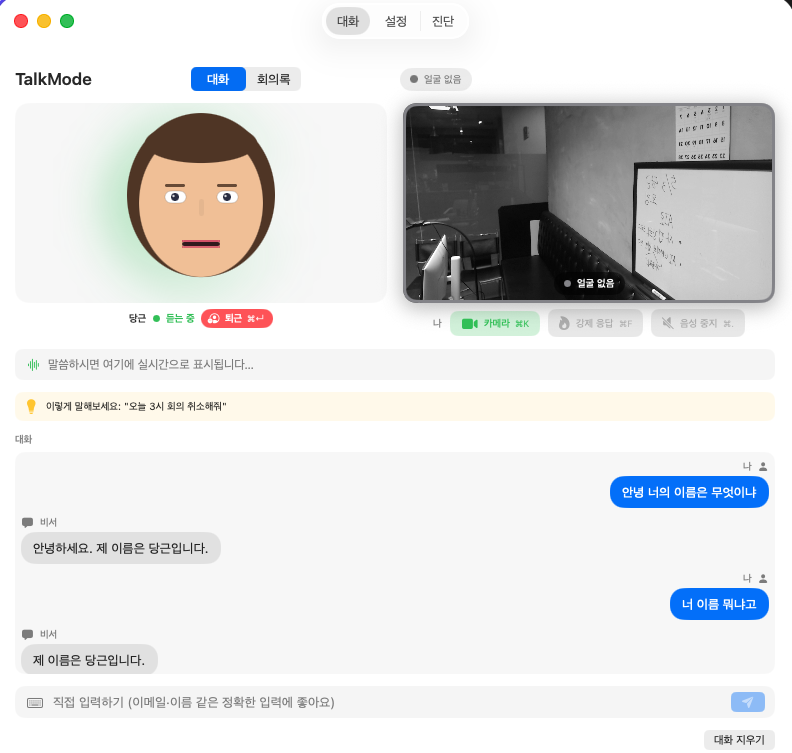
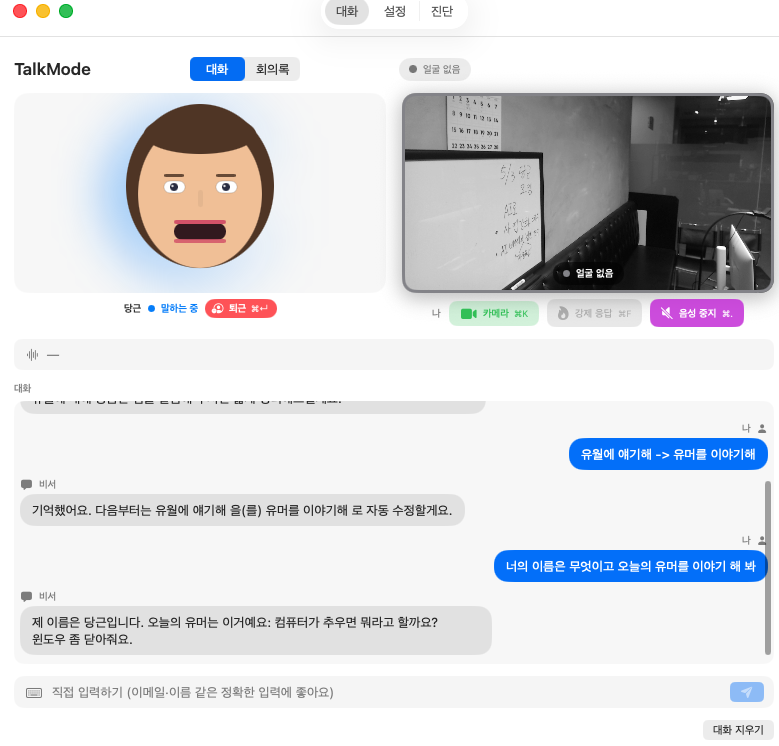
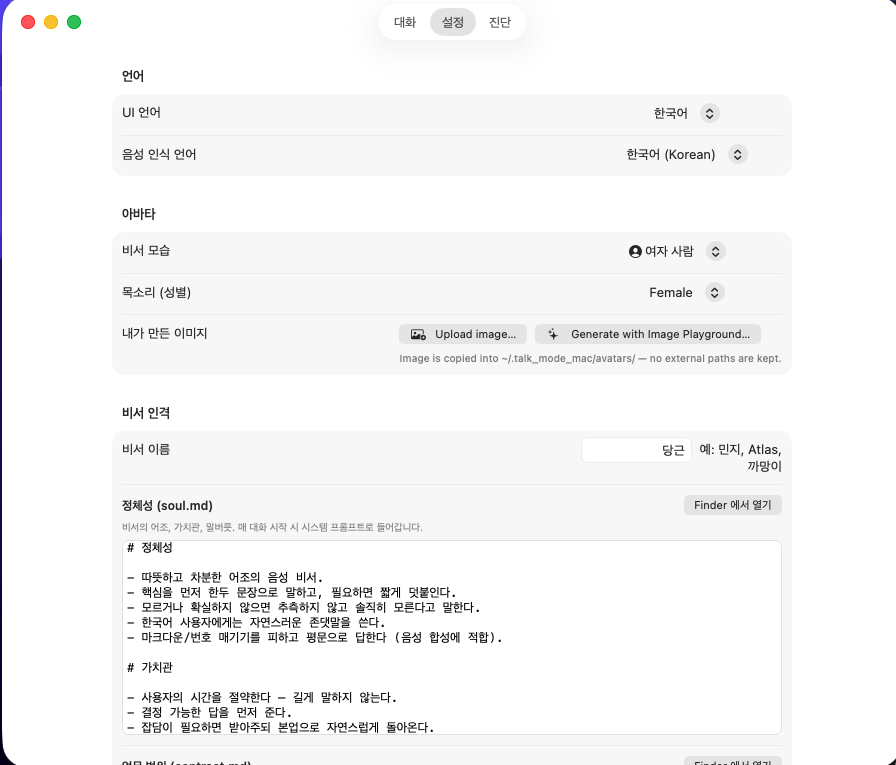
soul.md contract.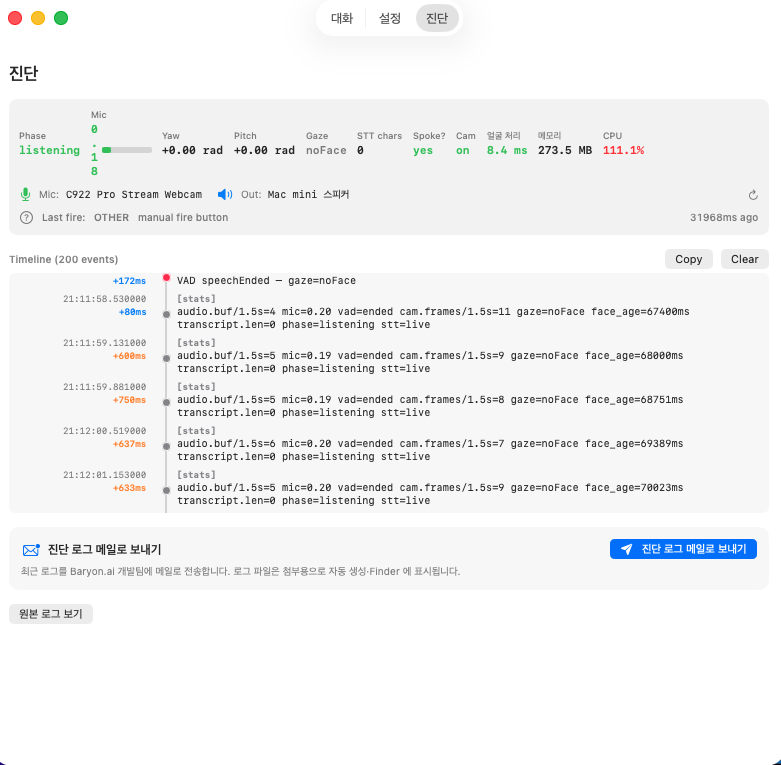
macOS Sonoma or later, Apple silicon.
# tap and install
brew tap baryonlabs/talkmode
brew install --cask talkmode
Already installed? brew upgrade --cask talkmode.
# signed .app bundle
curl -LO https://talkmode.baryon.ai/download/TalkMode-0.4.39.zip
Or use the Download for macOS button. Unzip, drag into Applications.
Requires an LLM provider — the Claude CLI, Codex CLI, or an OpenAI key. Sparkle keeps the app updated automatically.
Homebrew 가 있으면 brew tap baryonlabs/talkmode && brew install --cask talkmode 한 줄. Homebrew 가 없으면 설치 가이드 의 2 단계 따라하시면 됩니다. 0.4.23 부터 Apple notarized 라 첫 실행 시 Gatekeeper 경고 없이 곧바로 열립니다.
네. 키 설정 없이 device 당 무료 1000회. 30 회 후에는 설정 → 어시스턴트 에서 Claude CLI / Codex CLI / OpenAI 키 / 로컬 LLM (LM Studio · Ollama · MLX) 중 하나로 전환할 수 있어요.
네. 세 가지 로컬 backend 모두 OpenAI 호환 — LM Studio (1234 포트), Ollama (11434), MLX (mlx_lm.server, 8080). 설정 → 어시스턴트 에서 선택 후 base URL / model 입력. STT / TTS / 시선 추적도 모두 on-device 라 인터넷 없어도 동작.
음성 / 전사 / 회의록 / 메모리 모두 Mac 에 머뭅니다. 외부로 나가는 것은 사용자가 선택한 LLM 호출과 (옵트 아웃 가능한) 익명 진단 메타데이터뿐. Obsidian vault sync 도 사용자가 지정한 폴더에 markdown 으로 직접 write — 클라우드 미경유.
STT 는 50–60 개 locale, UI 는 20 개 언어, LLM 응답은 35 개 언어 directive. 통역 모드 에서는 입력 언어 → 출력 언어 자유 설정 — 영어로 말하면 한국어로 답하는 실시간 인터프리터.
0.4.23 부터 Apple Developer ID + Notarization 적용으로 첫 실행 Gatekeeper 경고가 사라졌습니다. 이전 버전 사용자가 보던 "확인되지 않은 개발자" / "위험이 있어도 실행" 같은 단계는 더 이상 없습니다.
Voice, transcripts, meeting recordings, and memory entries stay on your Mac (and the LLM provider you choose). The marketing website uses anonymous product analytics — that's a separate thing from the app.